Browse Guides
Move to another guide without going back to the documentation hub.
Connect Shopify and Prepare Sabdov for Automation
Link your Shopify store to Sabdov so products, orders, and review-request automations stay aligned with the merchant dashboard and storefront experience.
What Shopify Connection Enables
Product Sync
Automatically import your entire catalog, including variants, pricing, and high-resolution imagery.
Order Sync
Real-time order tracking allows Sabdov to trigger post-purchase workflows the moment a sale is made.
Review Automation
Schedule review requests based on delivery status to ensure customers are prompted at the right time for peak engagement.
Prerequisites
Before starting, make sure the merchant has the correct Shopify access and enough live store data to verify the connection end to end.
Shopify admin accessRequired to approve the OAuth install flow.Shop domainUse the primary `.myshopify.com` domain during connection.Active catalogAt least one product and recent order data make the first sync easier to validate.Connection Steps
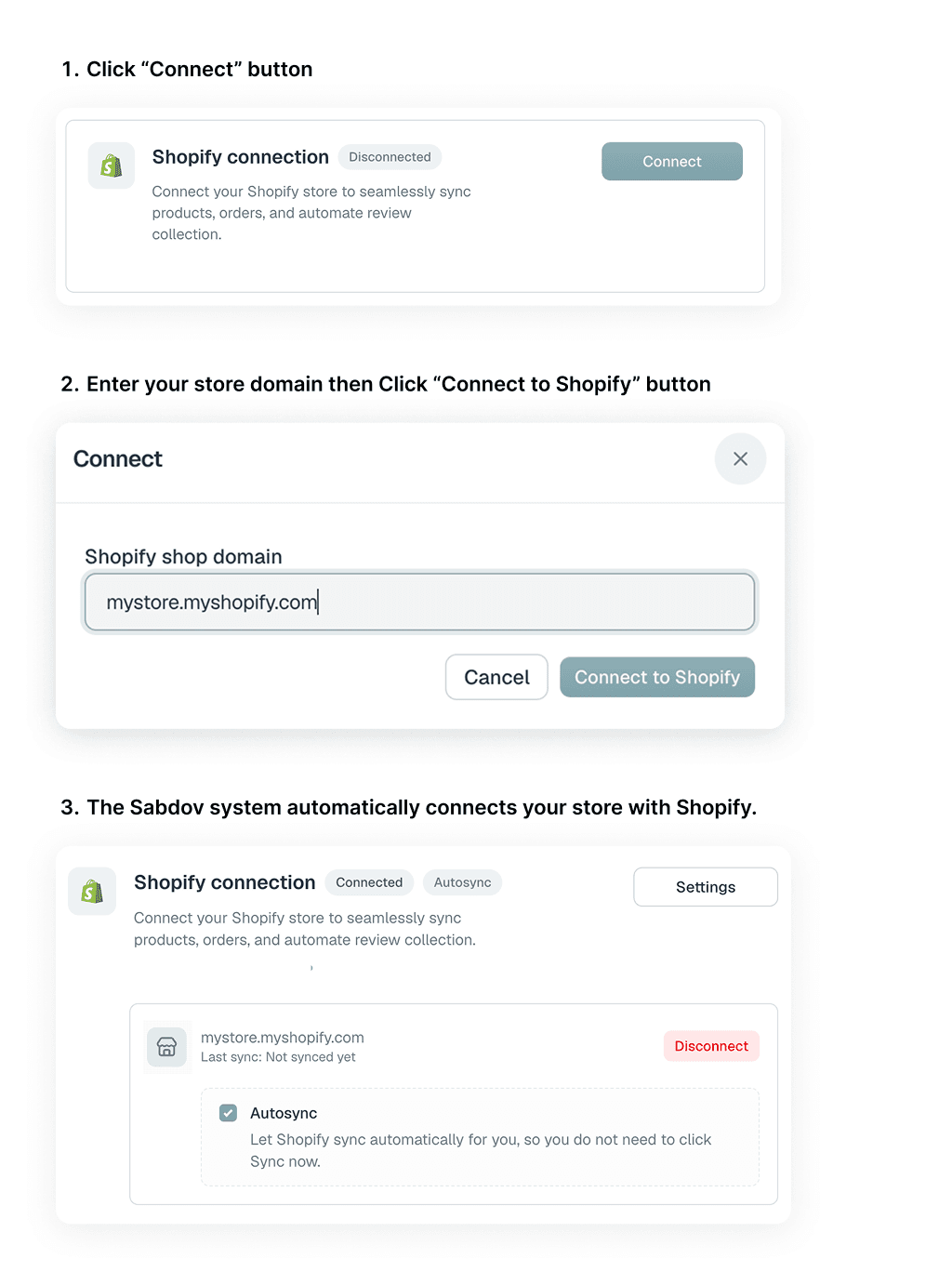
Navigate to Integrations
Log in to Sabdov, open Settings, and move to the Integrations section where the Shopify connection card is shown.
Initiate Shopify Connect
Open the Shopify connection modal from the Connect button, then enter the Shopify shop domain.
Authorize via OAuth
You will be redirected to Shopify. Review the requested permissions and click Install App to finish the handshake.
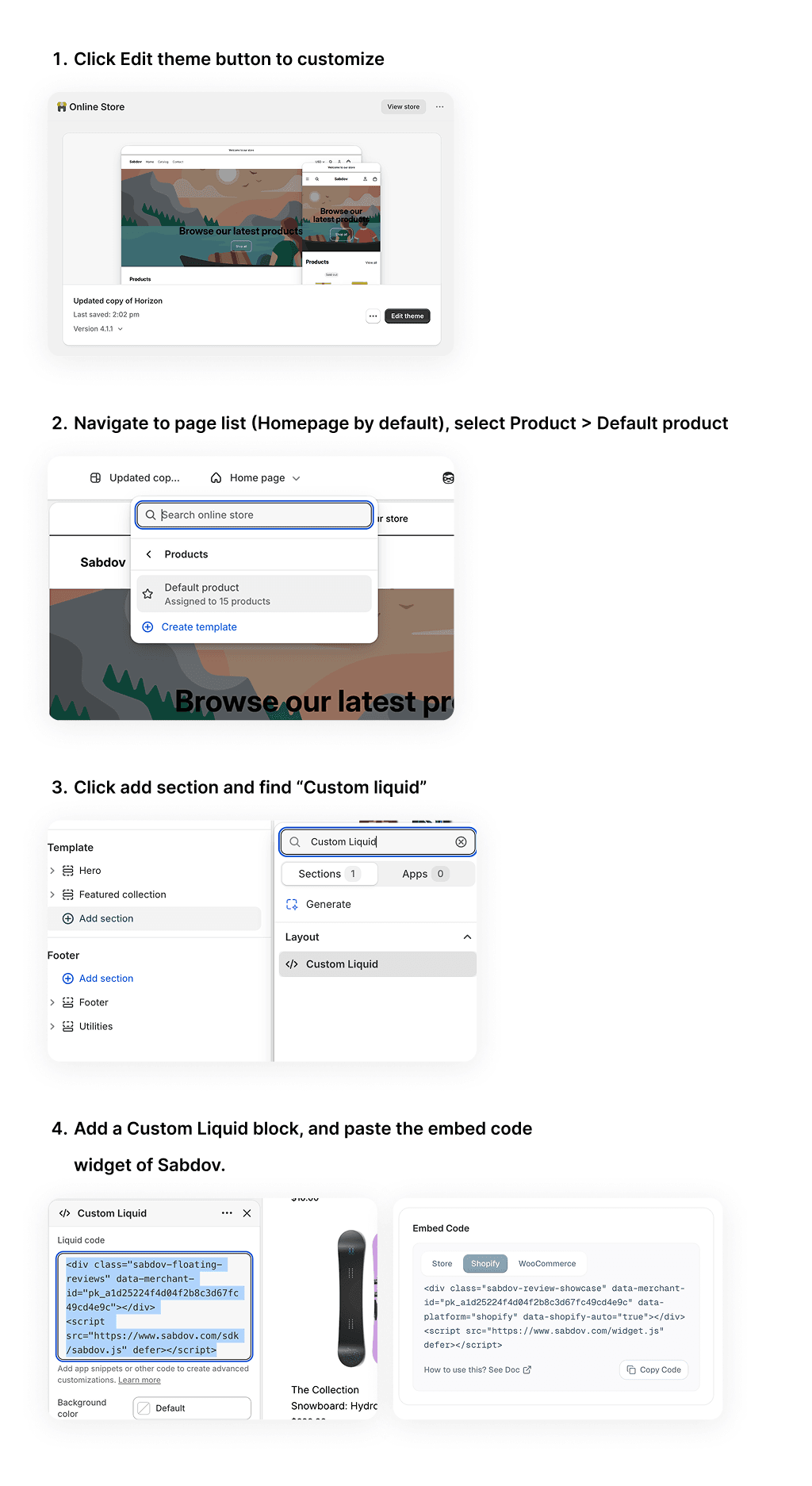
Display Widgets via Custom Liquid
Go to your Shopify Theme Customizer, navigate to default product template, add a Custom Liquid block, and paste the Sabdov widget or rating badge HTML tag. Drag and drop it to place it visually, then click Save.
Troubleshooting Common Errors
| Error Message | Potential Cause | Resolution |
|---|---|---|
| Connection action unavailable | The merchant does not have Shopify access on the current plan or the app connection is not ready. | Confirm the workspace has Shopify access, reload Settings -> Integrations, and retry the connection from the Shopify card. |
| Invalid shop domain | The provided URL is not a registered .myshopify.com domain. | Ensure you are using the primary myshopify domain, not a custom alias. |
| Authentication failed | The authorization session expired or the install flow was interrupted before it finished. | Disconnect the integration and re-run the OAuth flow from Step 1. |
Next step
Prepare your Shopify credentials, complete the connection flow, and continue to your first sync once the integration is active.
Was this helpful?